
The most stressful part of a modern interview is not always the question itself. It is the context switch. A candidate may be listening to an interviewer, watching a shared screen, reading a coding prompt, tracking examples, and trying to answer in a way that sounds confident but not robotic. In that environment, an AI interview assistant is useful only if it understands the live workflow, not just the topic.
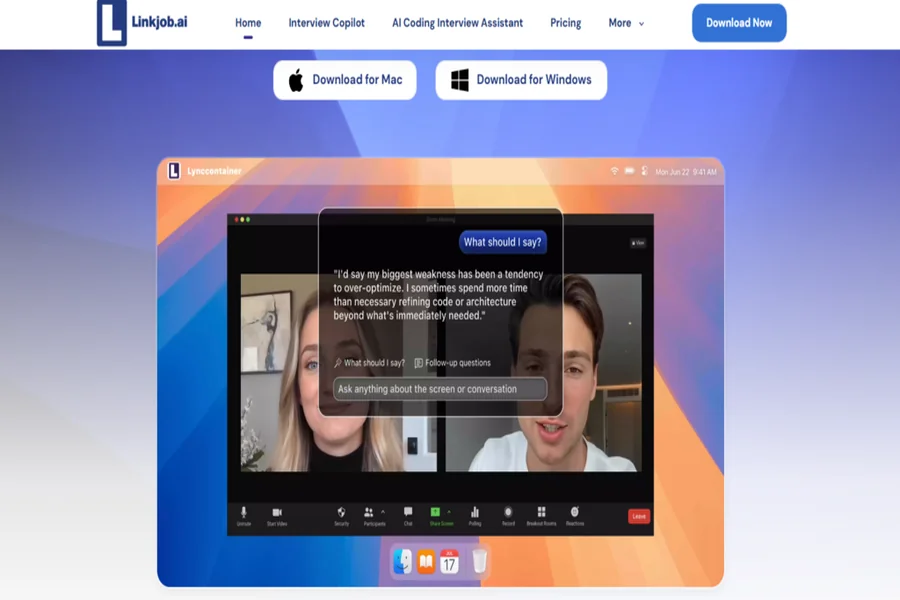
That is the angle that makes Linkjob AI worth reviewing. It does not present itself as a simple library of interview questions. It is positioned as a real-time desktop assistant for live interviews, coding assessments, mock interviews, and screen-based problem-solving. Its official pages emphasize audio input, smart screenshots, customizable roles, coding interview help, and support across common online interview environments.
So the real question becomes: can Linkjob AI reduce the number of things a candidate has to manage at once?
Interview Tools Usually Miss The Live Moment
Traditional preparation tools are mostly static. They give candidates question banks, sample answers, or practice prompts. These are valuable before the interview, but they often disappear when the real pressure starts.
Live interviews are different. The interviewer may interrupt. A coding problem may contain hidden constraints. A behavioral question may require a specific story. A video platform may force the candidate to stay focused on the call instead of searching notes.
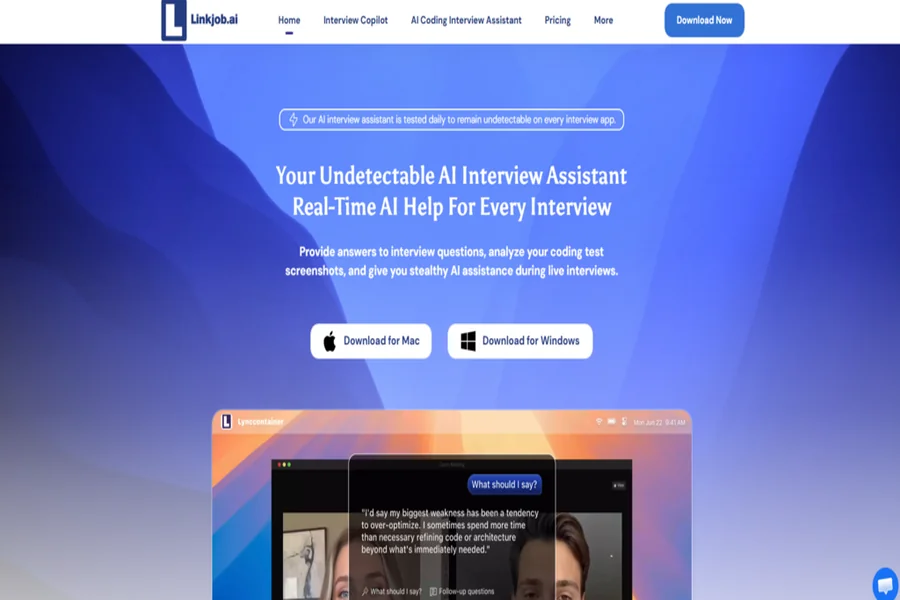
Linkjob AI is designed around that live moment. It works as a desktop-based assistant that can support interview scenarios while the user is already inside the interview environment. That changes the product category from “study tool” to “real-time workflow assistant.”
The Product Is Strongest When Context Is Messy
The messier the interview context, the more valuable a real-time assistant becomes. If a question is simple and typed clearly, almost any AI chat tool can help. But when the question is spoken, partly visual, or mixed with a coding editor, the workflow becomes harder.
This is why Linkjob AI’s combination of audio and screenshot support matters. The official FAQ explains that screenshots can be sent with the next audio segment, allowing the assistant to use both screen and spoken context. From a practical user perspective, that is more aligned with how interviews actually happen.
The Product Still Requires Candidate Judgment
A real-time assistant can help organize thoughts, but it should not remove judgment. Interview answers need to match the candidate’s actual background, the company’s question, and the interviewer’s tone.
That is especially true for behavioral questions. AI can provide structure, but personal examples still have to come from the user. The best results will likely come from candidates who use Linkjob AI to sharpen delivery, not fabricate substance.
A Testing Framework Based On Candidate Workflows
A useful review should test the product by workflow, not by feature count. For Linkjob AI, I would divide the test into three candidate workflows: preparation, live response, and technical problem-solving.
Workflow One Preparing Before The Interview
Preparation is the safest place to learn the tool. A candidate can use mock interview practice to understand how the assistant responds, which prompts work best, and how much detail is useful.
This is where customization becomes important. The official FAQ describes role prompts and settings that allow users to adjust the assistant’s behavior. A candidate preparing for a behavioral round may want concise story guidance. A candidate preparing for coding may want solution structure, complexity analysis, and edge-case reminders.
In my testing, the main goal would be consistency. Does the assistant help produce clearer answers over repeated practice sessions? Does it reduce rambling? Does it help the user identify weak explanations? Those are more realistic success metrics than expecting perfect one-shot responses.
Workflow Two Responding During A Live Interview
Live response is the highest-pressure use case. Linkjob AI is officially positioned for real-time interview help, with audio-based assistance and a desktop interface.
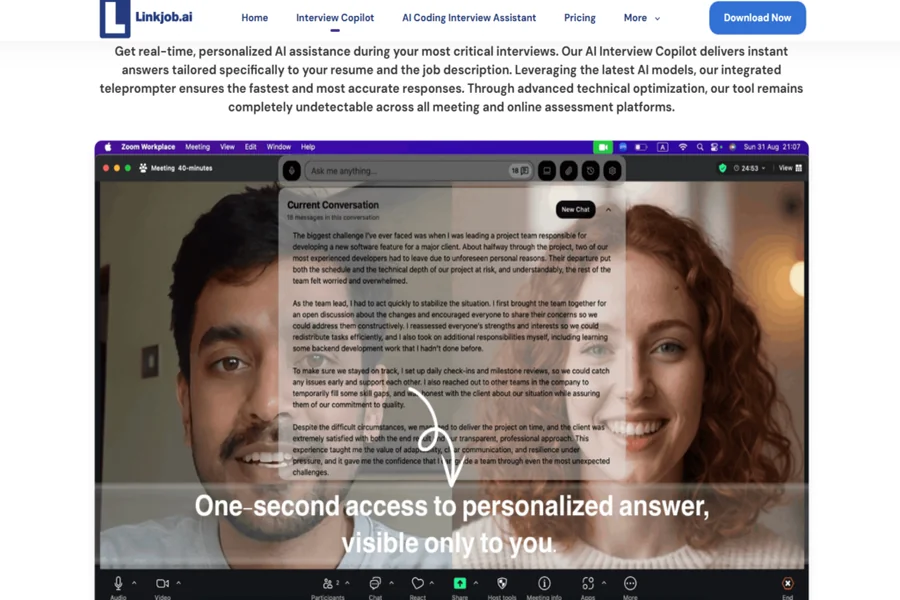
The advantage here is speed of structure. A spoken question can be converted into an answer direction, giving the candidate a clearer path. For example, a vague product, leadership, or technical explanation question can be broken into key points. The candidate can then speak naturally instead of reading mechanically.
The weakness is that live conditions vary. Audio clarity, internet speed, model response behavior, and question complexity can all affect the result. The official FAQ also explains that speed depends on factors such as transcription, model choice, network conditions, and server-side processing. So the fair expectation is not instant perfection. The fair expectation is practical support that may reduce hesitation.
Workflow Three Solving Coding And Assessment Questions
Technical assessment support is one of Linkjob AI’s clearest use cases. The product pages describe coding interview assistance, coding copilot use cases, and screenshot-based analysis for screen content.
This matters because coding questions are often visually dense. The candidate must understand the prompt, examples, constraints, and required output before choosing an approach. A normal AI chat workflow can help, but it usually requires manual copying or long explanation.
As an AI interview tool, Linkjob AI’s strength is that it is built closer to the assessment surface. It can use screen context through screenshots, which may help the assistant give more relevant guidance. A good coding response should include the problem pattern, reasoning path, possible solution, complexity, and edge cases.
How Users Move Through The Official Setup
The official flow is not complicated, but it should be practiced before a serious interview. The product is only useful if the user is comfortable with the interface.
Step One Download And Launch The App
Users begin by downloading the desktop application from the official site and launching it on their computer.
The Desktop Format Supports Real Interview Surfaces
This desktop format is important because interviews often happen across video platforms, browser windows, and coding tools. The assistant needs to sit beside those workflows rather than live only inside a separate page.
Step Two Open Settings From The Control Box
The official FAQ describes using the gear icon in the control box to access settings and customize the assistant.
Customization Should Match The Interview Round
Users should configure the assistant for the type of interview they expect. A mock round, behavioral screen, and coding assessment may require different response length, tone, and role behavior.
Step Three Send Screen Context When Needed
When facing a visual or coding task, users can use the screenshot function. According to the official FAQ, the screenshot is sent with the next audio segment so the AI can analyze both types of input together.
Multiple Captures May Be Needed For Long Tasks
The FAQ notes that scrolling screenshots are not currently supported. For longer questions, users may need to capture more than one screenshot so the assistant receives enough context.
How Linkjob AI Compares In Real Use
| Use Case | Linkjob AI Advantage | Practical Limitation |
| Behavioral interviews | Helps structure spoken answers quickly | Personal examples must come from the user |
| Coding interviews | Can use screen context through screenshots | Complex problems still need verification |
| Mock practice | Useful for repeated rehearsal and refinement | Quality depends on setup and prompts |
| Live interview flow | Reduces manual switching and typing | Speed may vary by technical conditions |
| User learning curve | Interface is built for interview workflows | Users should practice before serious use |
| Answer quality | Can organize messy input into clearer output | Not every response will fit perfectly |
The Best Fit Is Prepared Candidates Under Pressure
Linkjob AI is most convincing for candidates who already understand the importance of preparation but struggle with live execution. That includes software engineers facing coding rounds, job seekers practicing behavioral answers, non-native speakers who need clearer structure, and candidates who become overwhelmed by multi-window interview workflows.
It is less convincing as a shortcut for people who have not prepared. If the user has no real stories, no technical understanding, and no ability to judge the output, the assistant may produce answers that sound generic or risky. The tool performs best when paired with human preparation.
The product’s real promise is not that interviews become effortless. A better way to put it is this: Linkjob AI helps make interviews more manageable. It gives candidates a way to capture context, organize responses, and practice under conditions closer to the real thing.
That is a grounded value proposition. In a hiring process where timing, clarity, and context matter more than ever, Linkjob AI offers a practical layer of support for candidates who want to enter interviews with less chaos and more control.
